A Smart Bracelet and Guardian app designed to help women stay safe and discreetly call for help.
Client
LÆMON
Industry
IoT
Category
Mobile App
Role
Product Designer
Location
Berlin, DE
Timeline
2022
Partnered
with



Context
Why does it matter?

736
million
women
This shaped the idea behind LÆMON:
help women feel safer and get help discreetly when they need it most.
As the sole designer on the app, I led UX/UI for the Guardian app — owning the work from research and user flows through prototyping, usability testing, and final interaction design. I worked closely with the hardware, mobile, and business teams to make the wearable and app feel like one experience, and aligned the app with AXA's WayGuard operational requirements. I also contributed to sketching and defining the first-generation bracelet.
Research
User Research & Personas
I led research into how people perceive personal safety and what they need when feeling threatened. A 24-question survey with 96 respondents provided quantitative insights, while 5 one-on-one interviews uncovered the “why” behind the numbers. I led the synthesis, built personas, and translated findings into design directions.


Synthesis
What we learned
Despite describing themselves as independent, participants had developed subtle safety habits — texting friends, avoiding certain routes, carrying keys between their fingers. They wanted to feel prepared without feeling vulnerable.

Empathy Map
We assumed
We learned
Interview participant
80%+
2/3
So we decided
Market Landscape
Competitive Analysis
I benchmarked existing safety solutions, including Nimb, Runangel and Safelet, against our research findings. Two gaps emerged:
No product could send an alert without a phone.
Nobody combined a siren, a silent alarm and jewelry design.
LÆMON was built to close both: a jewelry-first bracelet with a silent trigger, a siren, and its own eSIM connection.


Problem
Pain Points
Synthesizing the research and competitive landscape revealed four key challenges:
1. Fear can make it difficult to act.
In a threatening moment, people may struggle to think clearly or decide what to do next.
2. Being seen is a risk. A visible call — or reaching for a phone — can draw unwanted attention.
3. Every second matters.
Reaching for a phone and navigating multiple screens adds friction when time is critical.
4. Discreet solutions couldn't work without a phone and had no siren.
The wearables that didn't draw attention still depended on a smartphone to send an alert.
These insights reframed the design challenge:
How might we enable someone to call for help without drawing attention to themselves?
Goals
Design a personal safety service that makes getting help discreet, fast, and reliable—through a smart bracelet and a companion mobile app.
Enable discreet activation without drawing attention.
Minimize the steps to getting help when every second matters.
Provide a reliable backup when the primary device isn’t available.
Build trust and confidence through clear feedback and a dependable experience.
These design principles shaped both the wearable and the digital experience.
Silent-first activation
Minimal-action trigger
Two independent triggers
Jewelry-first design
Auto location sharing
24/7 support service
"Help is on the way" confirmation
Ideation
From insight to solution
These objectives led us to a connected personal safety service built around two complementary touchpoints: a discreet IoT bracelet for instant emergency activation and a mobile app that acts as a backup and control center.
Wearable concept
Supported by

Designed to look and feel like everyday jewelry, the wearable offers two ways to trigger an emergency: a discreet silent trigger when drawing attention could increase risk, and a pull-pin 120 dB alarm when attracting attention is safer.
With a built-in eSIM and cellular connection, it can send an alert and share the user’s live location without relying on a phone.
The product was developed at hub:raum, Deutsche Telekom’s incubator, which provided the eSIM connectivity and 3D-printed our early prototypes.
Inside the bracelet: a toggle for the silent alarm, a chain with a pin for the 120 dB siren, and all the electronics, housed within a jewelry-sized shell
Mobile App Design
From wearable to safety service
The bracelet covers the critical moment: getting help without reaching for a phone. Everything around it — setting up guardians, managing the device, a backup way to call for help — lives in the Guardian app, the core experience I designed.

From bright MVP to dark UI
MVP Emergency flow
In the MVP, every silent alert went to the user’s guardians. There was no professional responder yet.


I prepared test scenarios and facilitated moderated sessions with 6 participants, testing the app alongside a functional bracelet prototype as one integrated experience. We tested emergency activation, guardian invites, and onboarding. The initial app prototype differed significantly from the final design as I explored interaction patterns. Testing drove changes:
Accident activation: users feared accidental triggers. → added a 5-second cancel countdown with haptics as the reversible first step in the trigger flow.
Guardian Card discoverability: a dismissible bottom sheet kept the UI minimal and discreet, but users struggled to reopen it. → Restored standard bottom navigation and added a FAB for quick access to guardians.
Silent trigger vs. loud pull-pin confusion on the bracelet: explained each mechanism and when to use it in both the app onboarding and the printed product instructions
No proof that help was coming: participants wanted confirmation that help was coming and guardians had been notified. → Added a “Help is on the way” confirmation listing all notified guardians.

Early prototype, tested with users
A late constraint that reshaped the flow
Partnered with
AXA, a well-known German insurer, joined later as our emergency service partner. Working closely with their team, I aligned the app flow with the operational requirements of AXA's WayGuard 24/7 service — one of which fundamentally changed the flow.
Before: Single-step Guardian Alert
The original flow used a single action to activate an alert and share the user's live location with their guardians. A 5-second countdown provided a short window to cancel accidental activation.

After: Two-step escalation
WayGuard had a clear operational model: activating the service meant emergency assistance could be dispatched to the user's location. To avoid accidental escalation and unnecessary police dispatch, WayGuard required a two-step activation flow.
I therefore restructured the experience around the consequences of each action: the first step alerts the user's guardians — fast and reversible (unchanged from before), while the second requires deliberate confirmation before escalating to WayGuard and requesting emergency assistance.
The bracelet doesn't need this extra step: flipping the switch is already a deliberate physical action, so a silent alarm from the bracelet goes to WayGuard directly.

Emergency User Flow

Final Prototype
Onboarding
The onboarding had one job: get users from first launch to a fully functioning safety setup with minimal friction.
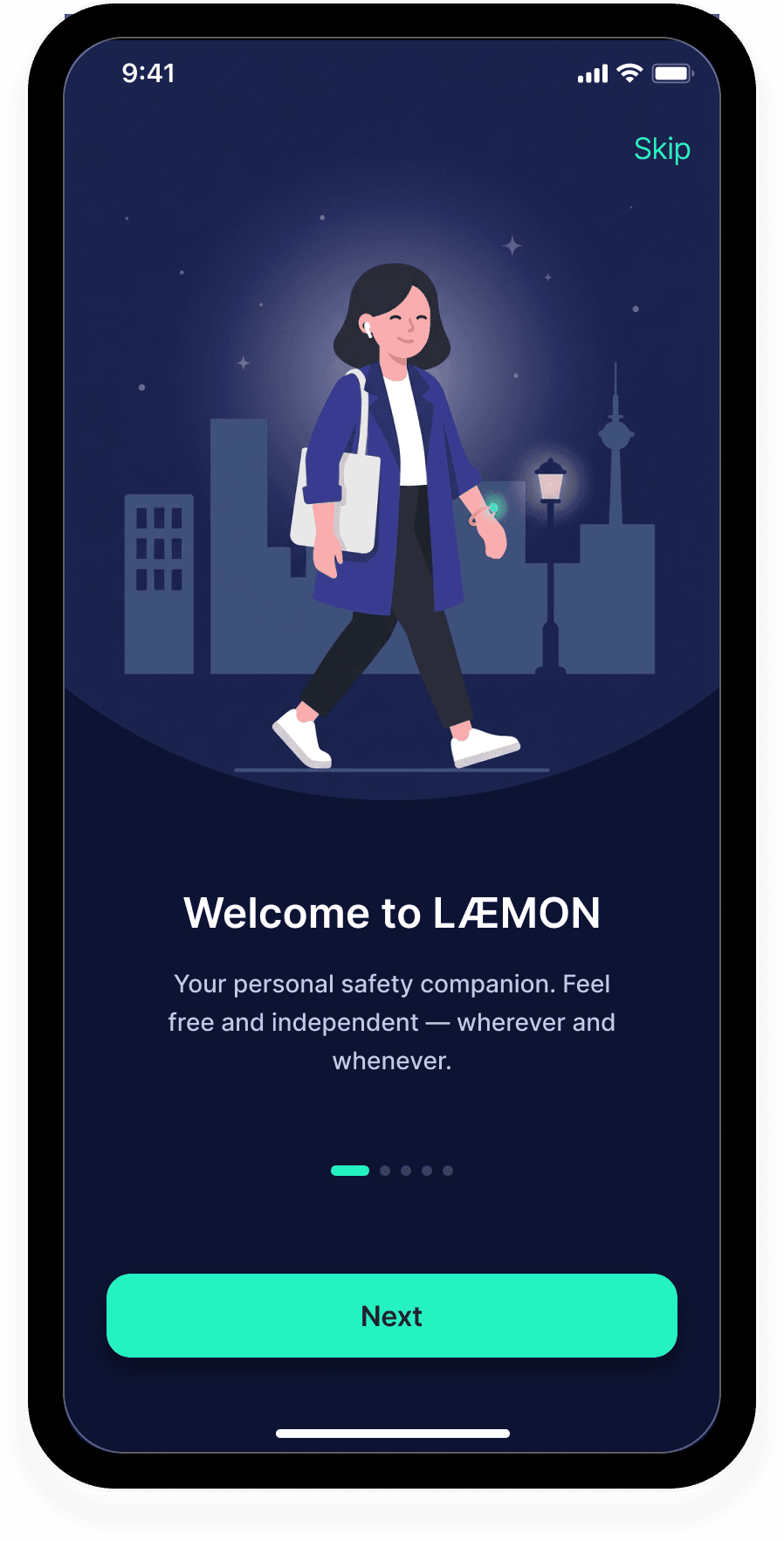


Setup
Allow Location Sharing
Location is shared with Guardians only when you trigger an alert — never in the background. Users stay in control of their privacy until they actually need help.
Connect Smart Bracelet
Pair your smart bracelet with the app via BLE for seamless functionality.
Verify Phone Number
Users verify their phone number to activate the 24/7 emergency callback service.
Invite Guardians
Users invite trusted Guardians via SMS. In an emergency, Guardians receive a link to the user’s live location — no app required.



The main screen provides quick access to Guardians, where users can invite guardians and see their list in just a few taps.
Swipe right to alert your guardians. A 5-second countdown catches accidental activations before it's sent — the fast, reversible first step. Escalating to professional help is a separate, deliberate action.
Product Journey
From Launch to Sunset
Testing with women's shelters
Before launch, we partnered with women’s shelters to test the service with people facing safety concerns. Feedback was collected anonymously with consent. Residents valued the discreet, silent-first activation and reassurance of professional support.
Launch
In 2022, LÆMON launched in Germany with a safety bracelet, iOS and Android app, and WayGuard 24/7 service.
The Second-Generation Trade-Off
Laemon's core principle was jewelry-first: the bracelet should feel like something you'd choose to wear, not a panic button. The second generation became lighter, more compact and comfortable, while remaining discreet — but shifted visually toward a fitness band. It retained V1 capabilities but lost some of the jewelry-first character.
Sunset
In 2025, the service was discontinued due to funding constraints.

© Oleksandra Zuieva, 2024-2025